Made for shopkeepers · Android
The calculator that runs your shop
Add up bills fast with a running total, tag items with GST & HSN, save every calculation, and share a professional PDF invoice or estimate in seconds.
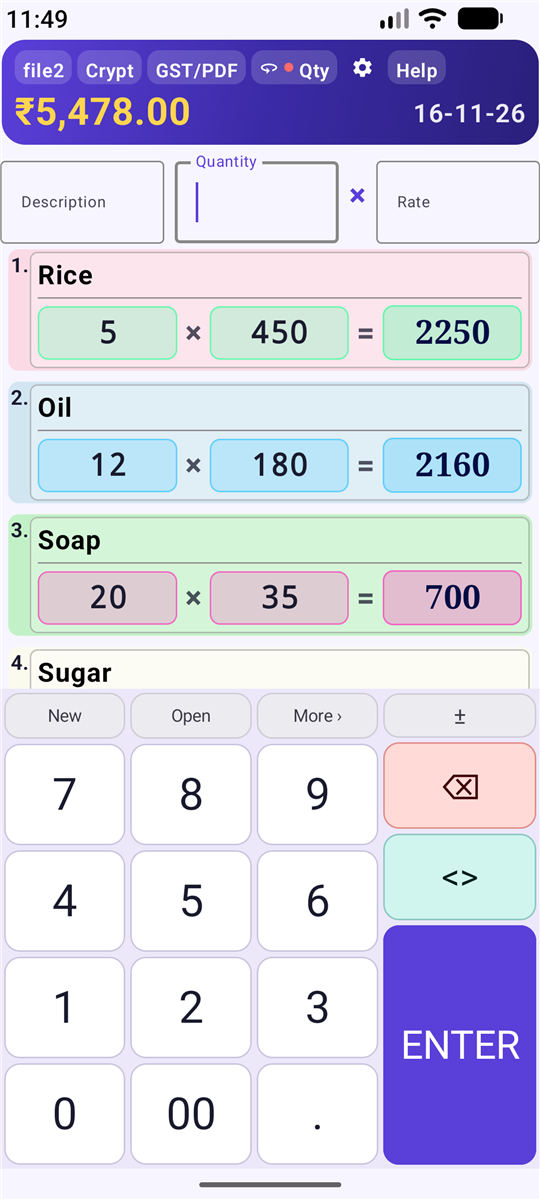
Add up bills fast with a running total, tag items with GST & HSN, save every calculation, and share a professional PDF invoice or estimate in seconds.
Built around how shops really work: fast entry, clean totals, and paperwork that takes one tap.
A custom keypad made for quick entry of quantity × rate, with a live running total.
Choose a GST rate and HSN code per item. Taxable value and total tax are worked out for you.
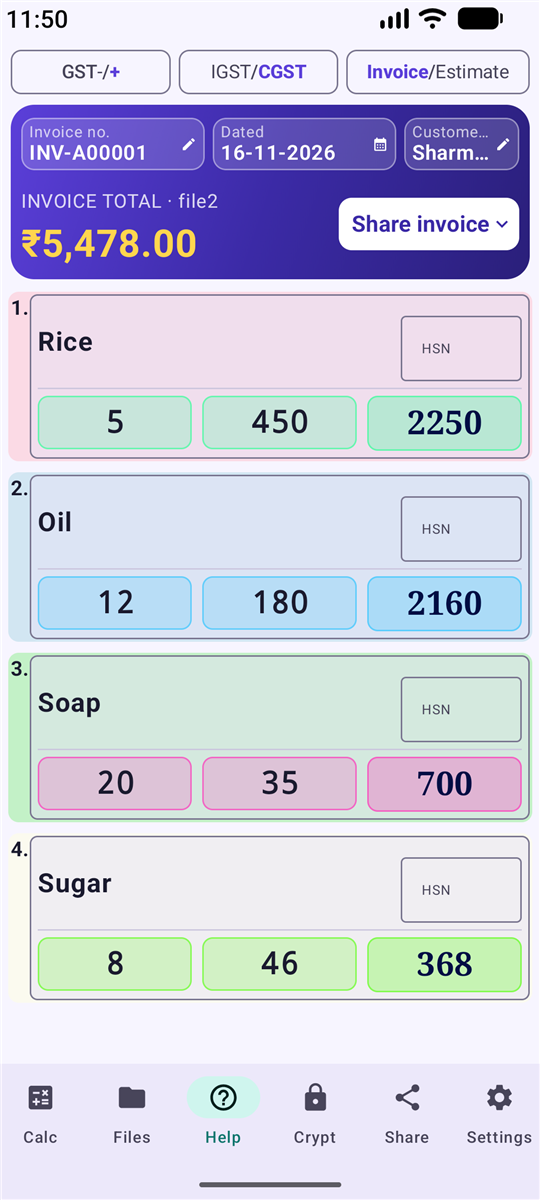
Add your company details and share a clean PDF invoice or estimate with automatic numbering.
Every calculation is stored as a file. Reopen, edit, search by amount, invoice number or customer.
Write cost prices as secret letter codes with the Crypt tool, protected by your own secret digits.
Switch the app language from Settings, including Hindi and other Indian languages.
Screenshots and short clips taken from the actual app.
Pick a topic below and follow the steps.
Download Pro Shop Calculator from Google Play and open it.
Tap Continue with Google. This lets you sync your GST data, make PDFs and back up your records.
On first launch, read the terms and tap Accept. The app is a helper tool, so always double-check tax figures.
Open Settings and fill in company name, address and GST number. You can also choose your language and key tone.
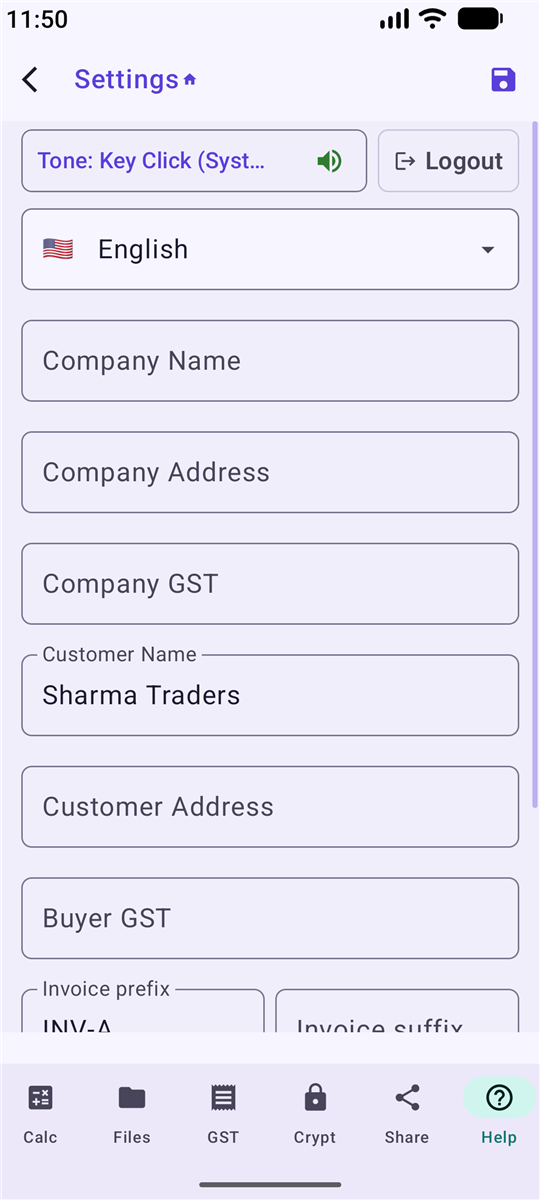
The home screen shows your current file and the running total at the top.
Type an expression such as 3 × 5 using the keypad. Use 00 for quick thousands.
Press ⏎ to add the row. In Settings you can choose whether the cursor then jumps to Description or Quantity.
Use Edit Row, Insert Up or Delete Row on any line. Use Clear to start a fresh sheet.
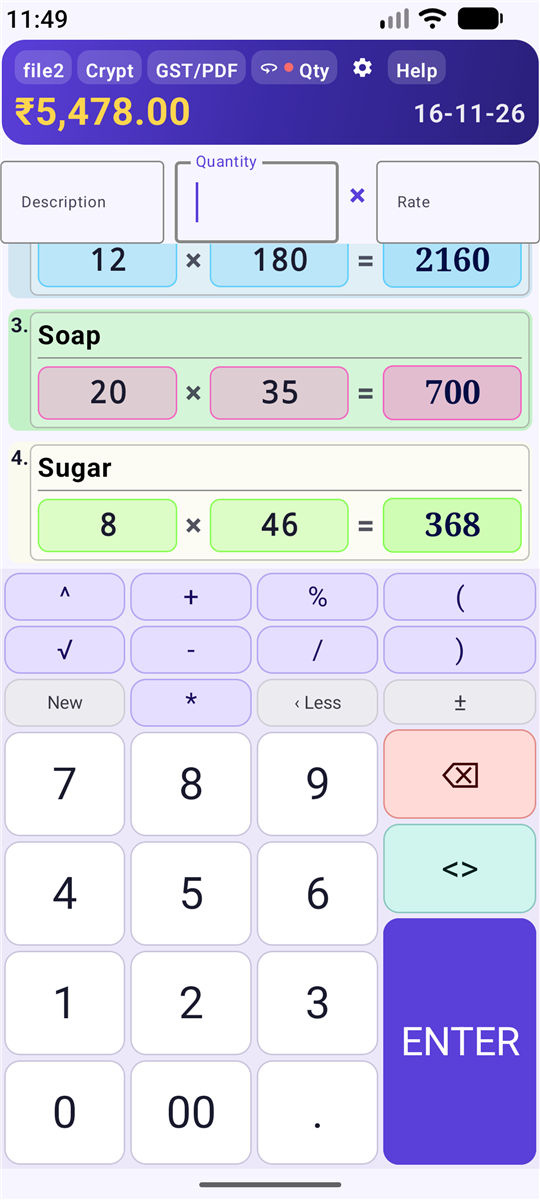
It lists the rows of your current file.
Choose a rate for each row, apply one rate to All rows, or tap Enter Custom for a special rate.
Enter the HSN code for each item if you need it on the invoice.
See Taxable Value, Total Tax and Grand Total.
Pick the document type in Settings. An estimate shows totals without invoice-style tax detail.
Enter customer name, address and buyer GST number.
Add a prefix or suffix in Settings. If you change a number, the app asks whether to use it Only this time or Continue from here.
Tap the Share invoice button and pick Preview to check the PDF, or Share to send it by WhatsApp, email or any app.
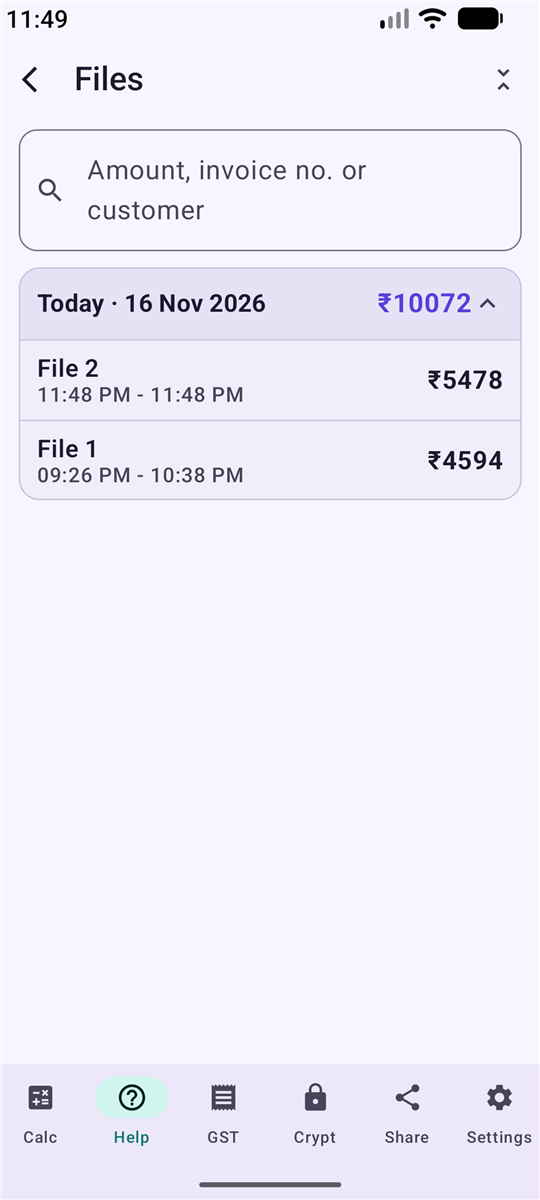
Your work is saved automatically as numbered files with date and total.
See all your files with dates, such as Today and Yesterday.
Search by amount, invoice number or customer name to find an old bill fast.
Reopen a file to continue, rename it, or delete it when you no longer need it.
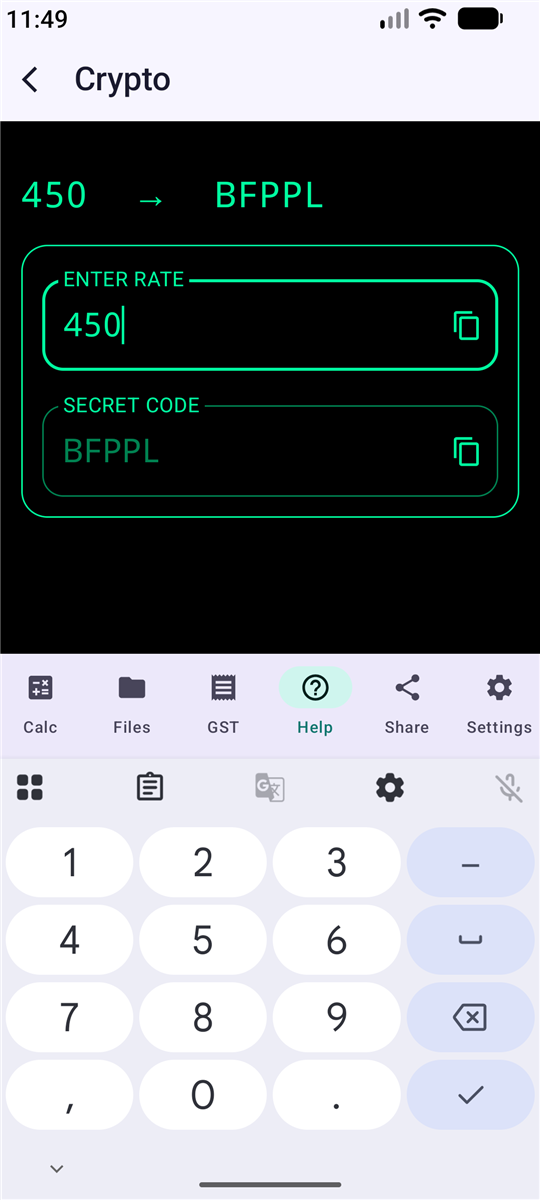
Crypt turns a number, such as your cost price, into a letter code that only you can read.
In Settings, set a secret code of exactly 4 digits and add a hint to help you remember it.
Open the Crypt tab, enter a number to get its code, or enter a code to read the number again.
Install it from Google Play and make your first invoice today.
▶ Get it on Google Play Requires Android 8.0 (API 26) or newer · Version 1.2Yes. Pro Shop Calculator is free to use, with no ads and no time limit.
Yes, sign in with Google. It lets the app sync your GST data, create PDFs and keep a cloud backup of your records.
There are 22 languages. Change the language from Settings.
The app is a helper, not a certified accounting tool. Please verify rates and totals yourself before official use.
Visit kuhulab.in for support and more apps from Kuhu Lab.